True Offline Authenticator in Chrome
Unlike SMS codes or cloud push prompts that stall when cellular reception drops or a vendor API has downtime, standard TOTP authenticators compute valid login codes purely from math. Secure TOTP Authenticator runs that calculation locally inside Chrome with zero network calls required.
Secure TOTP Authenticator is an independent browser extension developed by GreeLogix. It is not affiliated with, endorsed by, or officially connected to Google or Google Authenticator.
How TOTP Codes Work Without an Internet Connection
When people look for an offline 2FA authenticator, two separate questions are usually being asked: first, can the tool generate valid codes offline? And second, does the app upload my secrets to a remote cloud server?
Under the open IETF RFC 6238 (TOTP) specification, authentication codes do not come from an online server at login time. Instead, two inputs already present on your computer produce the answer:
A Base32 string scanned from the setup QR code or typed manually once when enabling 2FA. Saved locally in Chrome.
Current UTC epoch seconds divided by the interval (typically 30 or 60 seconds), providing a synchronized counter without network packets.

What Works Completely Offline vs. What Needs Connectivity
Honest clarity matters: here is exactly when Secure TOTP works with airplane mode on, and when external actions still involve the network.
Works 100% Offline
- Generating 6-digit and 8-digit TOTP codes continuously
- Running SHA-1, SHA-256, and SHA-512 over 30s or 60s periods
- Searching saved accounts and copying OTP codes in one click
- Importing saved QR images already downloaded to disk
- Restoring or exporting password-encrypted .json backup files
- Inspecting saved metadata and toggling Show/Hide secrets
Requires Internet / External Access
- First-time installation from the Chrome Web Store
- Visiting a service's security settings page to generate a new 2FA QR
- Authenticating into live online websites once you copy the code
- Keeping your operating system clock reasonably synced via NTP over time
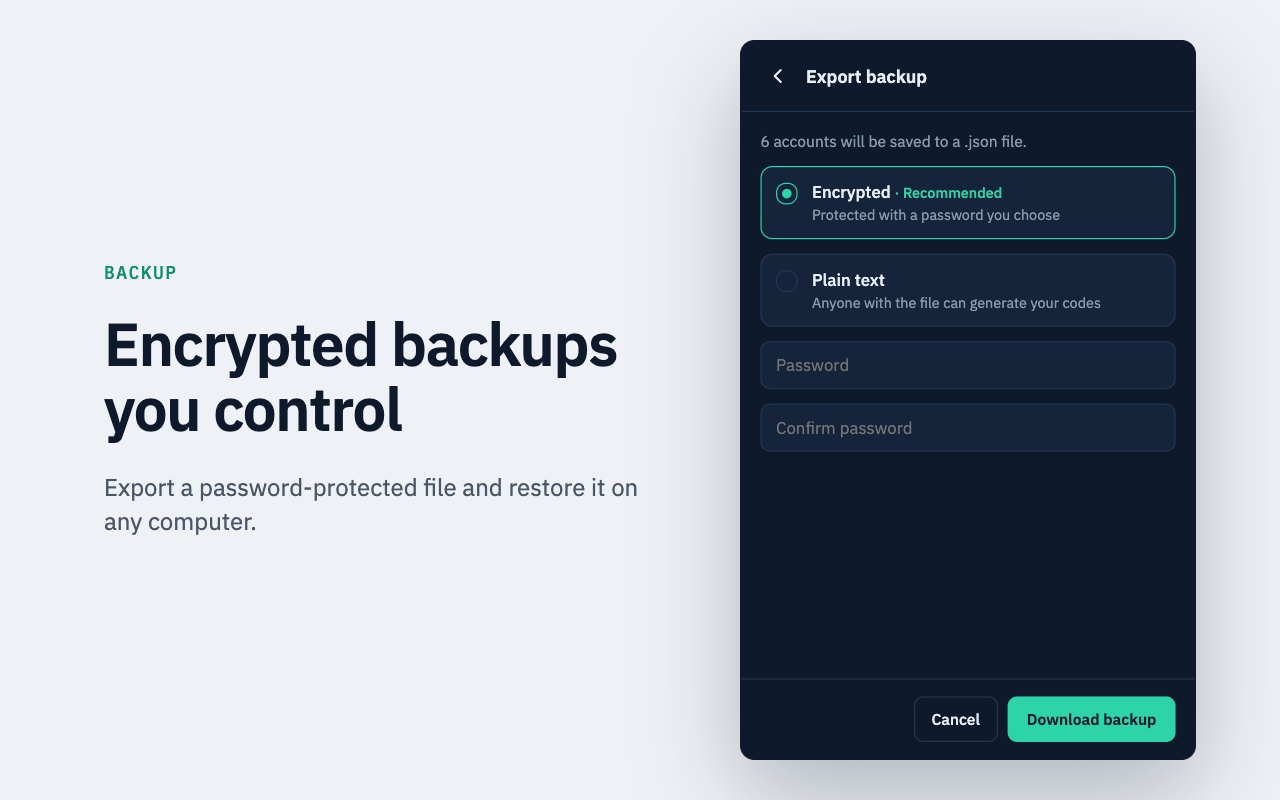
No Cloud Sync—Your Keys Never Leave Your Control
Secure TOTP operates without user accounts, cloud databases, or automatic remote synchronization. Your tokens live strictly inside your local Chrome extension storage—ideal for developers and users working across locked-down corporate networks or internal staging consoles.
Because nothing is mirrored to a vendor server, take two simple habits seriously: export an encrypted password-protected `.json` backup whenever adding important accounts, and retain each website's emergency recovery codes safely offline.

Compute Verification Codes Offline Inside Chrome
Zero internet dependency for OTP generation, no registration required, and encrypted JSON backup exports when you need portability.
Offline Security & Privacy FAQ
Direct answers covering compatibility, security boundaries, offline behavior, and backups.
Related Secure TOTP Guides & Resources
Explore specialized guides on desktop 2FA, offline TOTP generation, and backup security.
Extension Workflows & Compatibility
Run an RFC 6238 desktop authenticator inside Chrome on Windows, macOS, or Linux with fast search, one-click copying, and computer security best practices.
Explore QR screenshot scanning, instant search, live 30s/60s countdowns, and objective workflow comparisons between browser and mobile authenticators.
Deep technical breakdown of SHA-1, SHA-256, and SHA-512 TOTP calculation, 6/8-digit code formatting, 30s/60s time windows, and local execution.
2FA & TOTP Educational Guides
Understand what TOTP means, how shared secrets sync with Unix time windows, why codes expire, and why TOTP beats static passwords.
Compare RFC 6238 time-based codes against RFC 4226 event counters, synchronization trade-offs, and practical hardware/software use cases.
Why backups matter, how recovery codes differ from TOTP exports, encrypted vs plain-text .json files, and safe offline backup storage.
An objective threat-model review covering local storage, OS disk encryption, malware exposure, single-device risk, and recovery code hygiene.
Keep Your TOTP Codes Available Offline
Install Secure TOTP Authenticator in Chrome for fast local code generation with zero cloud lock-in.
Add to Chrome — Free